

Send and receive money1 with Zelle®
With Zelle®, you can send and receive money from friends and family—even if they’re not a member.

Don't split the tab the old way

We’ve partnered with Zelle® to bring you a convenient way to send and receive money1 with friends, family, and people you know. With Zelle®, you can send money directly from your account to enrolled recipients in minutes—all from the convenience of online banking or our mobile app.
It’s easy to get started—just use your email address or U.S. mobile number:
- On a computer: Enroll or log into online banking and go to “Transfer & Pay”
On mobile: Log into our mobile app and tap “Move Money” (if you’re not already enrolled in online banking, you’ll need to sign up before using the app)
- Select “Zelle®”
- Accept the Terms and Conditions
- Select your U.S. mobile number or email address and deposit account
That’s it! You’re ready to start sending and receiving money with Zelle®.
Don’t have our app? Download it for free:


Simple tips to make sure your money is sent safely

Know
Only use Zelle® to send money to friends, family, and other people you trust. Zelle® payments are treated as authorized transactions and generally cannot be reversed once processed.

Verify
Make sure your recipient’s name, U.S. mobile phone number, and email address are correct before sending money.

Be aware
If a payment situation feels off, it probably is. Stop and verify before sending, as you may not be able to recover funds after they’re sent.
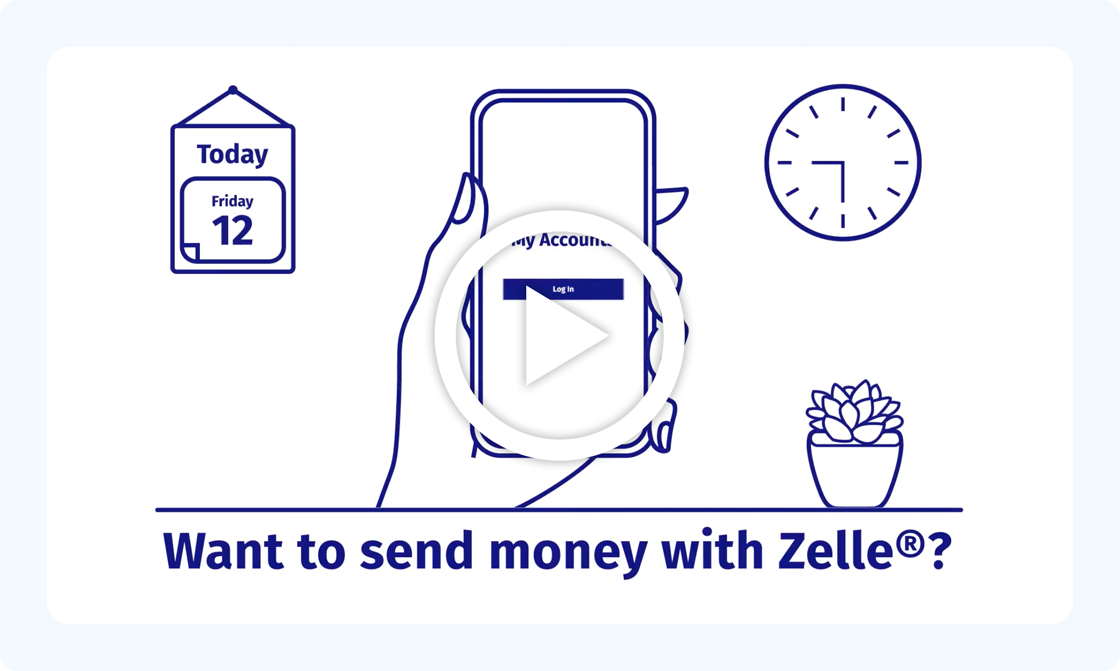
Watch the video to learn more about Zelle®
Zelle® FAQs
Georgia’s Own will never ask you to send money—to yourself or anyone else—using Zelle®. We also will not contact you by phone, text, or email to request a verification code. If you receive a request like this, stop and verify it independently—it’s likely a scam.
Be cautious of offers that seem too good to be true or requests for upfront payment. Scammers often create urgency to pressure you into acting quickly.
Always treat Zelle® payments like cash—once sent, the money is unlikely to be recovered.
For more tips on recognizing and avoiding scams, visit our financial wellness hub.
You can send, request, or receive money with Zelle®.
- To get started, log into online banking or our mobile banking app and navigate to “Transfer & Pay” > Zelle®. To enroll, accept terms and conditions, tell us your email address or U.S. mobile number, and deposit account and then you’ll receive a one-time verification code. Enter it and you’re ready to start sending and receiving with Zelle®.
- To send money using Zelle®, simply add a trusted recipient’s email address or U.S. mobile phone number, enter the amount you’d like to send and an optional note, review, then hit “Send.” In most cases, the money is available to your recipient in minutes if they are already enrolled with Zelle®. Do not share your one-time verification code with anyone. Georgia’s Own will never ask you for this code.
- To request money using Zelle®, choose “Request,” enter the recipient’s enrolled email address, U.S, mobile number or Zelle® tag, confirm the recipient information is correct and tap “Request.”
- To receive money, just share your enrolled email address or U.S. mobile number with a friend and ask them to send you money with Zelle®. If you’ve already enrolled with Zelle®, you don’t need to take any further action. The money will be sent directly into your account, typically within minutes.
- If someone sent you money with Zelle® and you haven’t yet enrolled with Zelle®, follow these steps: Click on the link provided in the payment notification you received via email or text message. Select “Georgia’s Own Credit Union.” Follow the instructions provided on the page to enroll and receive your payment. Pay attention to the email address or U.S. mobile number where you received the payment notification—you should enroll with Zelle® using that email address or U.S. mobile number to ensure you receive your money. Use caution when clicking links and only respond to payment notifications you’re expecting.
If you’ve already enrolled with Zelle®, you don’t need to take any further action. The money will be sent directly into your account and will be available typically within minutes.
If you haven’t yet enrolled with Zelle®, follow these steps:
- Click on the link provided in the payment notification you received via email or text message.
- Select “Georgia’s Own Credit Union.”
- Follow the instructions provided on the page to enroll and receive your payment.
Pay attention to the email address or U.S. mobile number where you received the payment notification—you should enroll with Zelle® using that email address or U.S. mobile number to ensure you receive your money.
Keeping your money and information secure is a top priority for Georgia’s Own. When you use Zelle® within our online banking or mobile app, your information is protected with the same technology we use to keep your Georgia’s Own account secure.
Zelle® is a great way to send money to family, friends, and people you’re familiar with, such as your personal trainer, babysitter, or neighbor.1
Since money is sent directly from your account to another person’s account within minutes1 and cannot be reversed once completed, Zelle® should only be used to send money to friends, family, and others you trust. Before sending your payment, verify that the first and last name or business name in the “Enrolled with Zelle® as” field matches your recipient information.
If you don’t know the person or aren’t sure you’ll get what you paid for (for example, items bought from an online bidding or sales site), you should not use Zelle®. These transactions are potentially high risk (just like sending cash to a person you don’t know is high risk). Zelle® is not recommended for commercial purchases from unfamiliar sellers.
All users must be enrolled through one of the more than 2,300 banks and credit unions that offer Zelle® in order to send and receive money. You can find a full list of participating banks and credit unions live with Zelle® at Zelle.com. If their bank or credit union is not listed, we recommend you use another payment method at this time.
In order to use Zelle®, the sender and recipient’s bank or credit union accounts must be based in the U.S. Zelle® is intended for domestic U.S. transfers only and is not designed for international payments.
No, Zelle® payments are generally irreversible once processed.
You can only cancel a payment if the person you sent money to hasn’t yet enrolled with Zelle®. To check whether the payment is still pending because the recipient hasn’t yet enrolled, you can go to your activity page, choose the payment you want to cancel, and then select “Cancel This Payment.” If you don’t see this option available, please contact Member Services at 800.533.2062 or visit a branch for assistance with cancelling the pending payment.
If the person you sent money to has already enrolled with Zelle® through their bank or credit union’s mobile app or online banking, the money is sent directly to their bank account and cannot be cancelled. For this reason, it’s important to only send money to people you know and trust and always ensure you’ve used the correct email address or U.S. mobile number when sending money.
If you sent money to the wrong person, please immediately call Member Services at 800.533.2062 or visit a branch to determine what options may be available.
No, Georgia’s Own doesn’t charge fees to send or receive money using Zelle®. Other fees—such as account or overdraft fees—may apply according to your account terms. Your mobile carrier’s messaging and data rates may apply.2
The amount of money you can send, as well as the frequency, is set by each participating financial institution. You can view your send limit within Zelle® after logging into online banking or through the mobile app. Click the “Send” tab then “Limits” under the send amount field.
There is generally no limit to the amount of money you can receive with Zelle®, however, transactions may be subject to review, limits, or holds in certain circumstances. Remember that the person sending you money will most likely have limits set by their own financial institution on the amount of money they can send you.
Zelle® QR codes can help reduce errors knowing you can send and receive money to the right person, without typing an email address or U.S. mobile number. You should always confirm recipient details before sending money.
To locate your Zelle® QR code, log into the Georgia’s Own mobile app, click “Send Money with Zelle®.” Next, go to your “Zelle® settings,” click “Zelle® QR code,” and your QR code will be displayed under “My Code.” From here you can view your QR code and use the print or share icons to text, email, or print your Zelle® QR code. To receive money, share your Zelle® QR code.
To send money, log into the Georgia’s Own mobile app, click “Send money with Zelle®,” click “Send,” then click on the QR code icon displayed at the top of the “Select Recipient” screen. Once you allow access to your camera, simply point your camera at the recipient’s Zelle® QR code, enter the amount, hit “Send,” and the money is on the way! When sending money to someone new, it’s always important to confirm the recipient details are correct by reviewing the displayed name before sending money. Use caution when sending money via QR codes shared by unknown or untrusted sources.
Please contact Member Services at 800.533.2062 or visit a branch. Qualifying imposter scams may be eligible for reimbursement.
Neither Georgia’s Own nor Zelle® offers purchase protection for payments made with Zelle®—for example, if you don’t receive the item you paid for, or the item isn’t as described or as you expected. You should only send money to people and small businesses you trust and always ensure you’ve used the correct email address or U.S. mobile number when sending money. Zelle® payments are treated as authorized transactions and generally cannot be reversed once processed.
Sending to a Zelle® tag is just like sending to a recipient’s email address or U.S. mobile number. Find Zelle® in your mobile banking app, click “Send,” and from the “Select Recipient” screen, type the recipient’s Zelle® tag. Then, enter the amount, hit “Send,” and the money is on the way. Make sure to double check that the Zelle® tag is typed correctly, and when sending money to someone new, it’s always important to confirm the recipient information is correct by reviewing the contact name that’s displayed before sending money.
At this time, the ability to create a Zelle® tag is only available to eligible small business account holders. Please confirm with your bank or credit union if you’re eligible to create a Zelle® tag for your small business.
Only use Zelle® to send money to people or businesses you know and trust. If you don’t know the person or feel unsure about the transaction or product—such as purchases from online marketplaces or bidding sites—you should not use Zelle®, as these payments may carry a higher risk, similar to sending cash to a stranger.
Keep in mind that neither Zelle® nor Georgia’s Own provides purchase protection for authorized payments. This means you typically will not be reimbursed if you don’t receive the item you paid for, or if it’s not as described or expected.
To send or receive money with Zelle®, both parties must have an eligible checking or savings account with a participating U.S. financial institution and be enrolled in Zelle®. Transactions between enrolled users typically occur in minutes.
Georgia’s Own does not charge fees to send or receive money using Zelle®. Please refer to your cell phone plan carrier for any message or data charges.
Zelle® and the Zelle® related marks are wholly owned by Early Warning Services, LLC and are used herein under license.
App Store is a service mark of Apple Inc. Apple and the Apple logo are trademarks of Apple Inc, registered in the U.S. and other countries. Android, Google Play, and the Google Play logo are trademarks of Google Inc.
